Dayton Freight Tracking: Complete 2026 Guide (PRO Numbers, Status Codes, Troubleshooting)
Track a Dayton Freight Lines shipment with the PRO number from your BOL. Step-by-step instructions, status code meanings, and what to do if tracking is stuck.
Dayton Freight Tracking
Dayton Freight Lines is one of the largest regional LTL carriers in the United States, operating across the Midwest and into the East Coast and South. The company moves about 24,000 shipments per business day across its direct service network. If you booked a shipment with Dayton, this guide walks through how tracking actually works – finding your PRO number, reading the status codes, and what to do if tracking gets stuck.
Key Takeaways
- Dayton Freight Lines tracks shipments with a PRO number – a 9-digit identifier issued at pickup and printed on your bill of lading (BOL).
- Track a shipment at daytonfreight.com/tracking by entering the PRO number. No account required for basic status checks.
- Status codes on Dayton tracking follow standard LTL conventions: BOL Created, Picked Up, In Transit, On Vehicle for Delivery, Delivered.
- If tracking shows no movement for 48 hours during business days, contact Dayton customer service at 1-800-860-5102 with the PRO number to investigate.
- Dayton Freight operates a direct service network across the Midwest and into the East with two-day transit on most regional lanes.

How to Track a Dayton Freight Shipment (3 Steps)
Step 1 – Find Your PRO Number
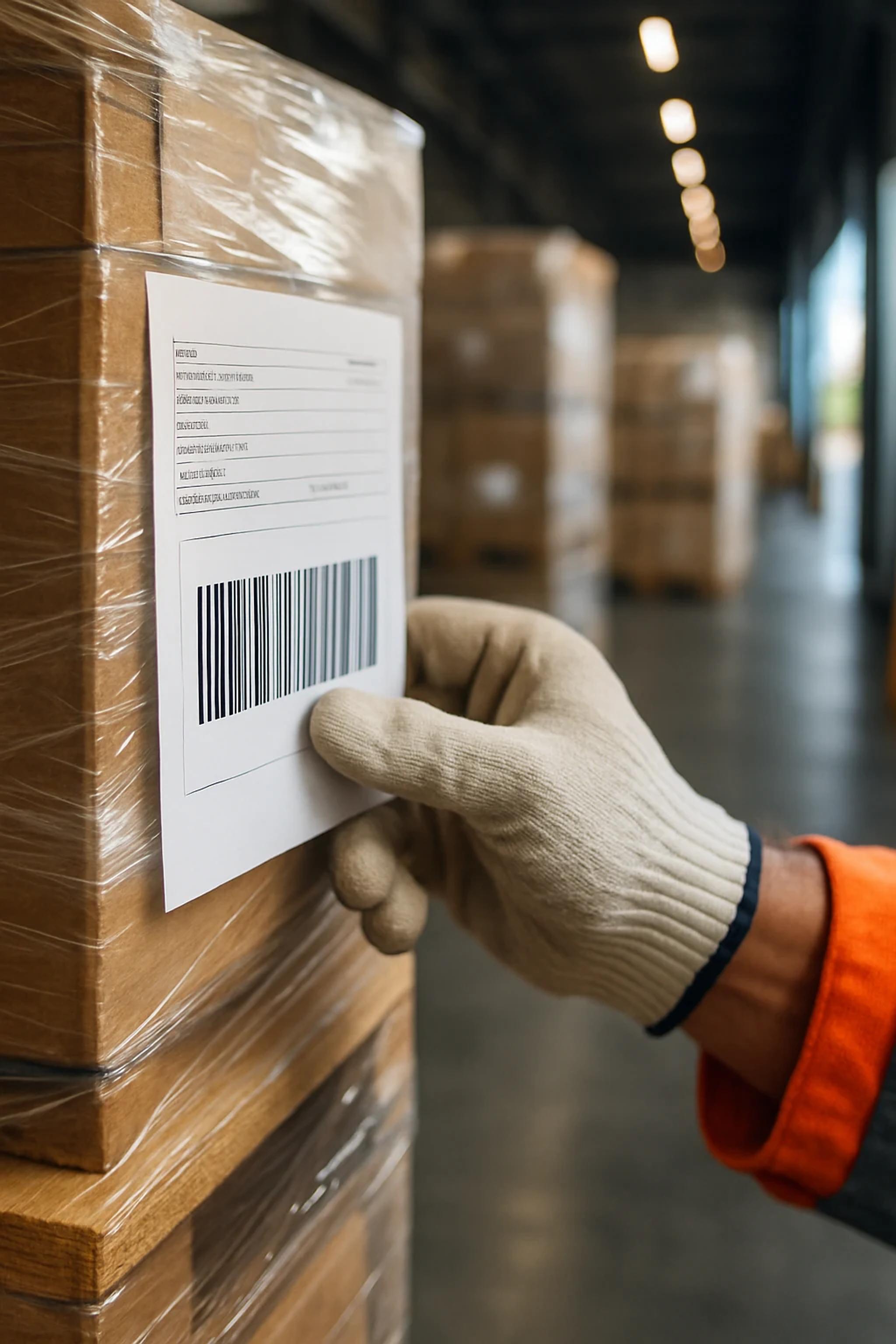
Every Dayton Freight shipment is assigned a PRO number at pickup. The PRO (Progressive Rotating Order) number is a 9-digit identifier printed on:
The bill of lading (BOL) – the primary document. Look in the carrier section for "PRO Number" or "Pro #".
The pickup receipt – provided by the driver at pickup.
Your shipper's confirmation email – if you booked through a TMS or freight marketplace.
Your shipment manifest – if shipping multiple loads on the same day.
If you cannot find the PRO number, contact your shipper directly. The shipper holds the BOL and can provide the PRO. Without the PRO number, Dayton cannot look up your shipment.
Step 2 – Enter the PRO at daytonfreight.com/tracking
Go to daytonfreight.com/tracking and enter the 9-digit PRO number in the tracking field. No login or account is required for status checks. The tracking page returns the current status, last scan location, and estimated delivery date if available.
Step 3 – Read the Status Codes
Dayton Freight tracking uses standard LTL industry status codes. Here is what each one means:
| Status | Meaning |
|---|---|
| BOL Created | Bill of lading entered in Dayton's system. Pickup not yet completed. |
| Picked Up | Driver collected the freight from the shipper. Shipment is now in Dayton's possession. |
| At Terminal | Freight has arrived at a Dayton service center. Will be sorted and loaded onto the next outbound trailer. |
| In Transit | Freight is moving between Dayton terminals on a linehaul trailer. |
| Arrived at Destination Terminal | Freight has reached the destination service center and is awaiting dispatch for delivery. |
| Out for Delivery | Freight is loaded on a delivery truck and en route to the consignee. |
| Delivered | Freight has been signed for at the consignee location. |
| Exception | Something has interrupted normal flow – delivery refused, damage noted, address issue, etc. Contact customer service. |
Tracking Multiple Dayton Shipments at Once
For shippers moving multiple Dayton shipments per week, two options eliminate the one-by-one PRO entry:
- Dayton Freight customer portal – create a free shipper account at daytonfreight.com. The portal supports batch PRO uploads, recurring shipment views, and email notifications on status changes.
- Freight marketplace dashboard – if you book Dayton through a freight marketplace like FreightRate.com, the marketplace consolidates Dayton tracking alongside 25+ other carriers in one view. No re-entry of PRO numbers required.
Dayton Freight Transit Times on Common Lanes
Dayton's direct service network is strongest across the Midwest and into the East. Typical standard LTL transit days, business days only, not including pickup day:
| Origin → Destination | Standard transit |
|---|---|
| Dayton, OH → Chicago, IL | 1 day |
| Dayton, OH → Indianapolis, IN | 1 day |
| Columbus, OH → Pittsburgh, PA | 1 day |
| Cleveland, OH → Detroit, MI | 1 day |
| Dayton, OH → St. Louis, MO | 2 days |
| Chicago, IL → Atlanta, GA | 2 days |
| Indianapolis, IN → Charlotte, NC | 2 days |
| Cleveland, OH → Boston, MA | 2 days |
| Dayton, OH → Dallas, TX (interline) | 3-4 days |
| Chicago, IL → Miami, FL (interline) | 4 days |
Dayton's direct network covers approximately 70 service centers across roughly 20 states. Lanes that fall outside the direct network are handled via interline partner carriers, which adds one to two transit days.
What to Do If Dayton Freight Tracking Is Stuck
Five practical steps when status has not updated for 24-48 business hours:
- Confirm the PRO number was entered correctly. Common errors: transposed digits, leading zeros omitted, or mixing up two PROs from the same week.
- Check whether the latest scan timestamp is recent. Tracking systems sometimes lag updates by 4-12 hours. A scan from earlier today usually means the system is current and the freight is in motion.
- Look at the last scan location. If the freight cleared a major hub terminal recently, it will typically show another scan within 24 hours as the trailer reaches the next terminal.
- Call Dayton customer service at 1-800-860-5102. Provide the PRO number and ask for a manual status update. Dayton dispatch can usually locate the freight by trailer number even when scans are missing.
- If freight is past the estimated delivery date and tracking shows no recent activity, request a trace. A trace formally escalates the shipment to operations to physically locate the freight in a terminal yard or trailer.
Dayton Freight PRO Number Format
Dayton PRO numbers are 9 digits with no letters. The first digit usually identifies the origin terminal. There is no checksum digit, so a single transposition is hard to catch by inspection – always cross-reference with the BOL when in doubt.
PRO numbers are unique system-wide and do not repeat. A PRO from 2024 will not be reissued; if you enter an old PRO from a delivered shipment, tracking will still show the final "Delivered" status.
Dayton Freight Customer Service Contacts
| Need | Contact |
|---|---|
| Tracking status / trace request | 1-800-860-5102 |
| Claims and damage reporting | [email protected] |
| Quote / rates | Quote portal at daytonfreight.com or marketplace quotes |
| Pickup request | Online at daytonfreight.com or call 1-800-860-5102 |
| Headquarters address | Dayton Freight Lines Inc., 6450 Poe Ave., Dayton, OH 45414 |
Frequently Asked Questions
How do I track a Dayton Freight shipment?
Enter the 9-digit PRO number from your bill of lading at daytonfreight.com/tracking. No account is required for basic status checks. The tracking page returns current status, last scan, and estimated delivery date.
Where is the PRO number on a Dayton Freight BOL?
Look in the carrier section of the bill of lading for "PRO Number" or "Pro #." It is a 9-digit identifier. The same number appears on the pickup receipt and on the shipper's confirmation email if you booked through a TMS or marketplace.
What does each Dayton Freight tracking status mean?
Standard LTL status codes apply: BOL Created (not yet picked up), Picked Up, In Transit, At Terminal, Out for Delivery, Delivered, and Exception (something interrupted the flow). See the full table earlier in this guide.
What if Dayton Freight tracking has not updated?
Wait 24-48 business hours; tracking lags scans by 4-12 hours sometimes. If still stuck, call Dayton customer service at 1-800-860-5102 with the PRO number to request a manual trace.
How long does Dayton Freight take to deliver?
Two-day standard transit on most regional lanes within Dayton's direct service network (Midwest and Mid-Atlantic). Longer lanes that require interline partner carriers run three to four days.
Does Dayton Freight deliver on Saturdays?
Dayton Freight operates Monday through Friday for standard LTL service. Saturday delivery is available on Guaranteed Service shipments for an additional charge on qualifying lanes.
What is Dayton Freight's customer service phone number?
1-800-860-5102 – handles tracking, pickup requests, and general inquiries. Claims should be sent to [email protected].
Can I track multiple Dayton Freight shipments at once?
Yes. Create a free customer account at daytonfreight.com for batch PRO uploads and recurring shipment views, or use a freight marketplace dashboard that consolidates Dayton tracking with other carriers in one view.
Beyond Tracking: Booking Your Next Dayton Shipment
Dayton Freight is one of the strongest regional LTL carriers in the Midwest and Mid-Atlantic. If you are comparing carriers for an upcoming lane, pull a live Dayton quote alongside Estes, ABF, R+L Carriers, A. Duie Pyle, and other regional and national options through a freight marketplace. On direct-network lanes Dayton frequently prices below the national majors with comparable service quality.
Get a multi-carrier LTL quote including Dayton Freight at freightrate.com/freight-calculator.